"Materia"
Structure
"Core material science concept layout"- interactive models help students classify information clearly.
Structure
Problem:
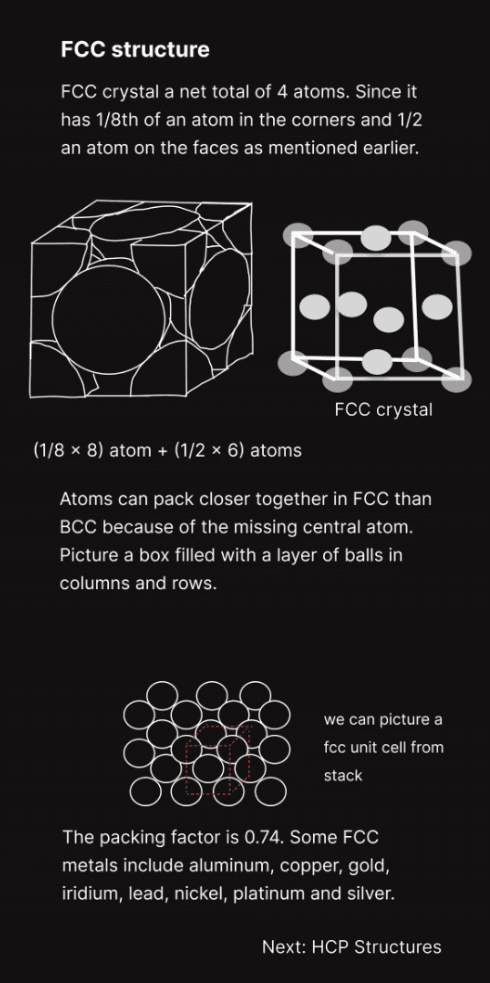
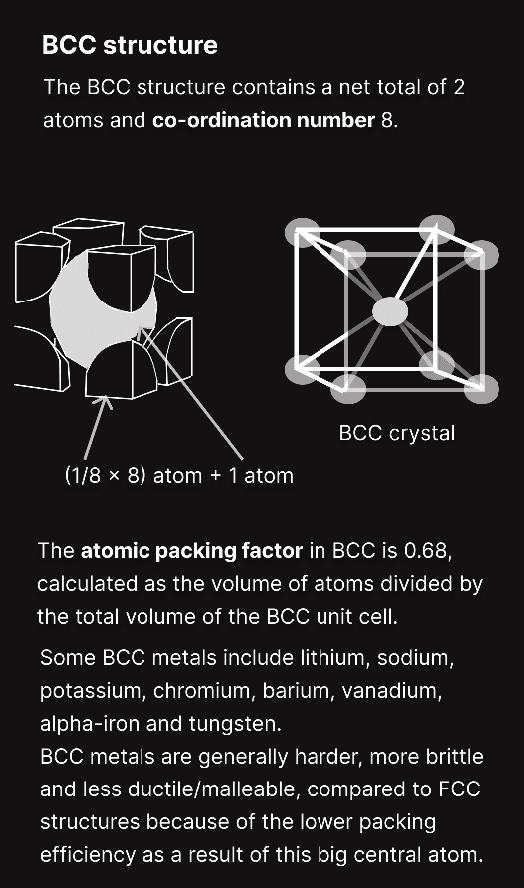
Students struggle to visualize atomic and crystalline structures from static textbooks.
Constraints
Scientific accuracy cannot be sacrificed for visual appeal.
Must preserve correct atomic geometry and lattice structure
Should not oversimplify chemistry concepts
Needs to support multiple difficulty levels
Must be usable on mobile and desktop
Must function without teacher supervision
Based on the above design constraints, the following key decisions were made.
Key Decision 1:
Replace static diagrams with manipulable 3D clusters for intuitive understanding.
Reason:
Students learn structures faster when they can rotate, zoom, and explore atoms freely. Interactive clusters preserve accuracy while giving students control over the visualization.
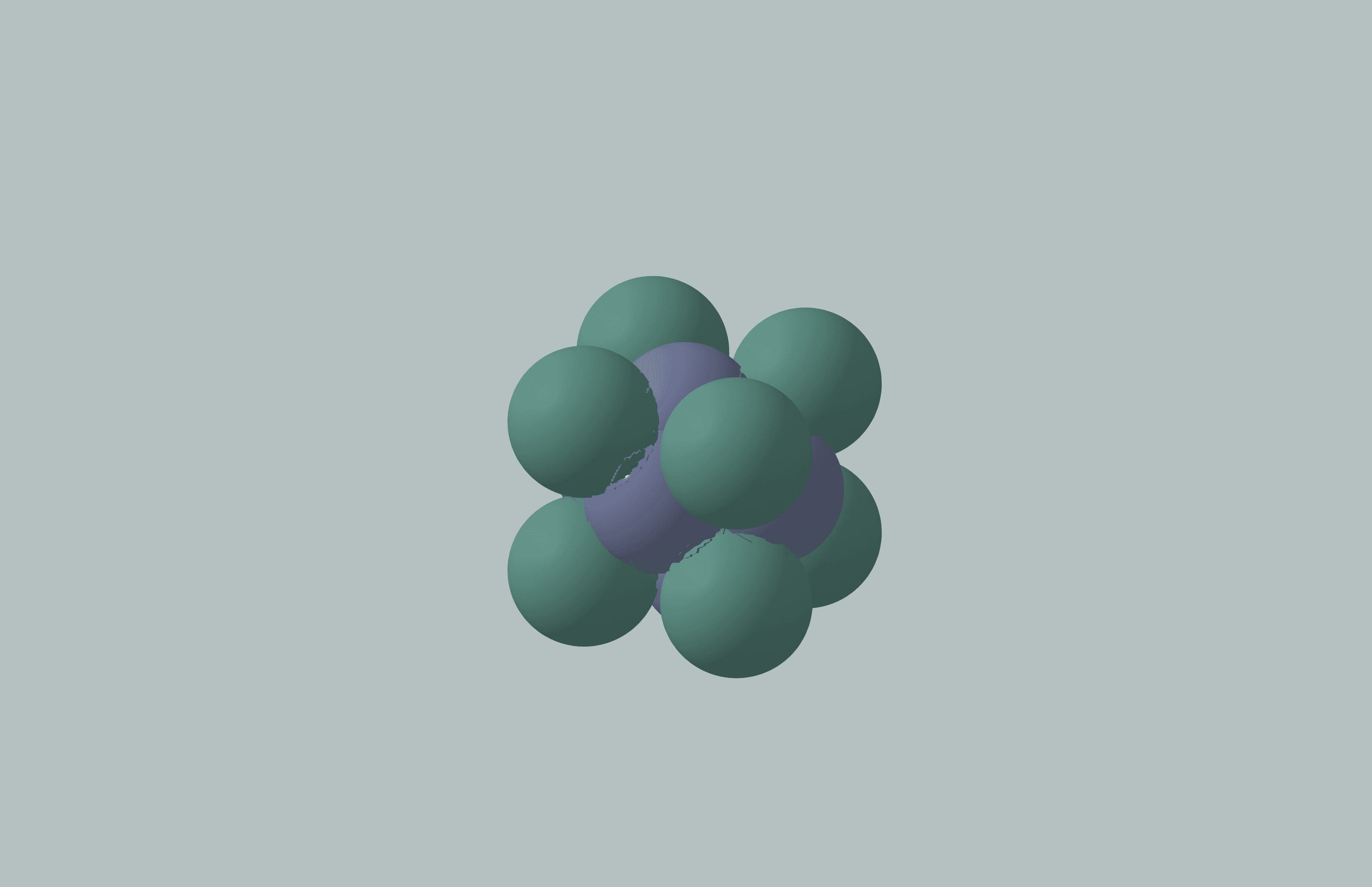
"Rotate & Zoom" to explore lattice models
Students can rotate and visualize clusters to compare lattice types directly a) HCP lattice model b) BCC lattice
Key Decision 2:
Cognitive Load Reduction to explore Defect States
Base
Vacancy
Substitution
Interstitial
"Click" to Explore defect states
Face-centered-cubic (FCC) metal lattice defect states a) Vacancy, b) Substitution, c) Interstitial
Key Decision 3: Aesthetics that Support Learning
Motion, color, and lighting tuned for clarity, not decoration.
Soft gradients, subtle lighting, and gentle motion differentiate elements without distracting students. Color coding highlights bonds and lattice structures, supporting learning.
Walkthrough screen visuals designed for clarity, engagement and retention
Solution
A clear, interactive learning tool for materials science.
The final design combines scientific accuracy with interactive UX to help students understand atomic and lattice structures intuitively.
Outcome
Students achieved deeper understanding through interaction.
Improved grasp of metal crystal lattice structures- e.g FCC, BCC, and HCP stacking differences
Higher engagement than with static diagrams
Increased confidence in identifying coordination numbers
Teachers report fewer misconceptions
Reflection
Blending scientific accuracy with UX clarity.
This project taught me how to design interfaces that preserve rigorous scientific concepts while making them intuitive and interactive for learners.