"InPeace Flow"
Structure
Problem:
When someone experiences panic or overwhelm, cognitive load increases and visual processing slows. Traditional meditation apps assume calm users, making them ineffective during moments of crisis.
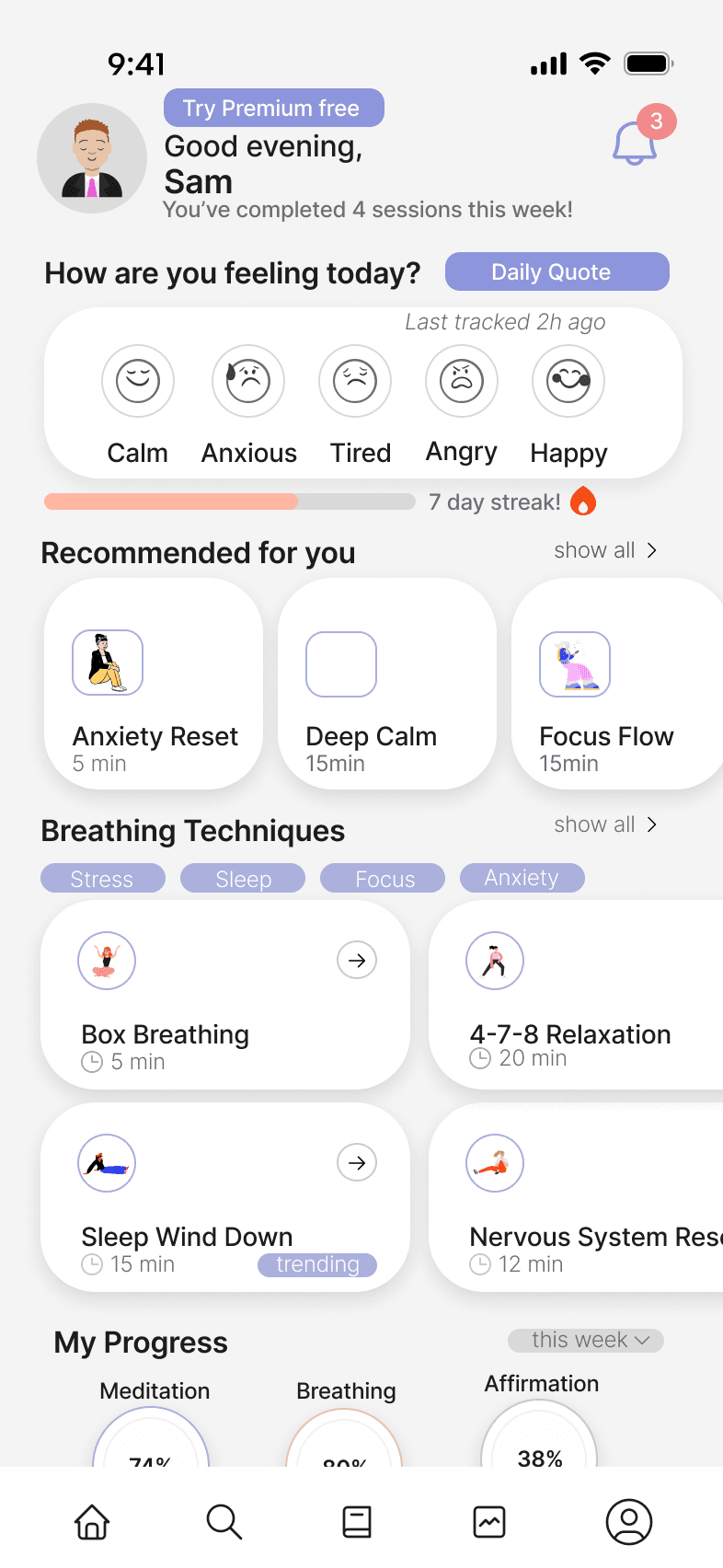
Common meditation app interface
Users reported that existing breathing apps feel cluttered, slow, and “too much” in moments of crisis. They needed something that requires zero interpretation and works under 1–2 seconds of cognitive load.
UX Approach
Reduce → Sequence → Ground → Guide
A four-step method designed to minimize overwhelm and increase clarity:
Reduce : Remove non-essential UI
Sequence : Present one action at a time
Ground: Use breathing rhythm to anchor attention
Guide: Clear next actions to regain control
Design Constraints
The interface must succeed even when the user’s nervous system is failing.
Color palette must reduce panic, not stimulate it
Motion must be slow, predictable, and grounding
No hidden actions or multi-step interpretation
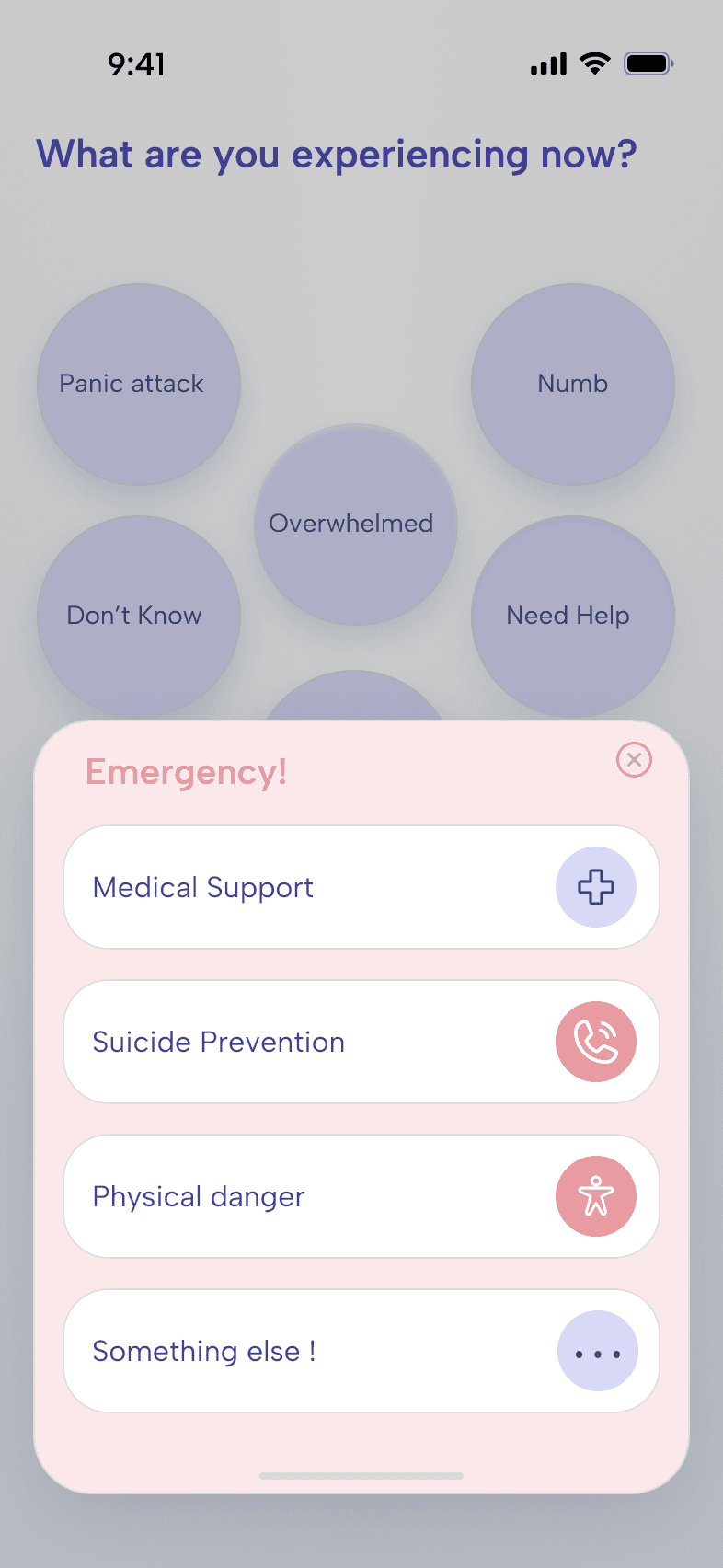
Emergency escalation must always be one tap away
Decision:
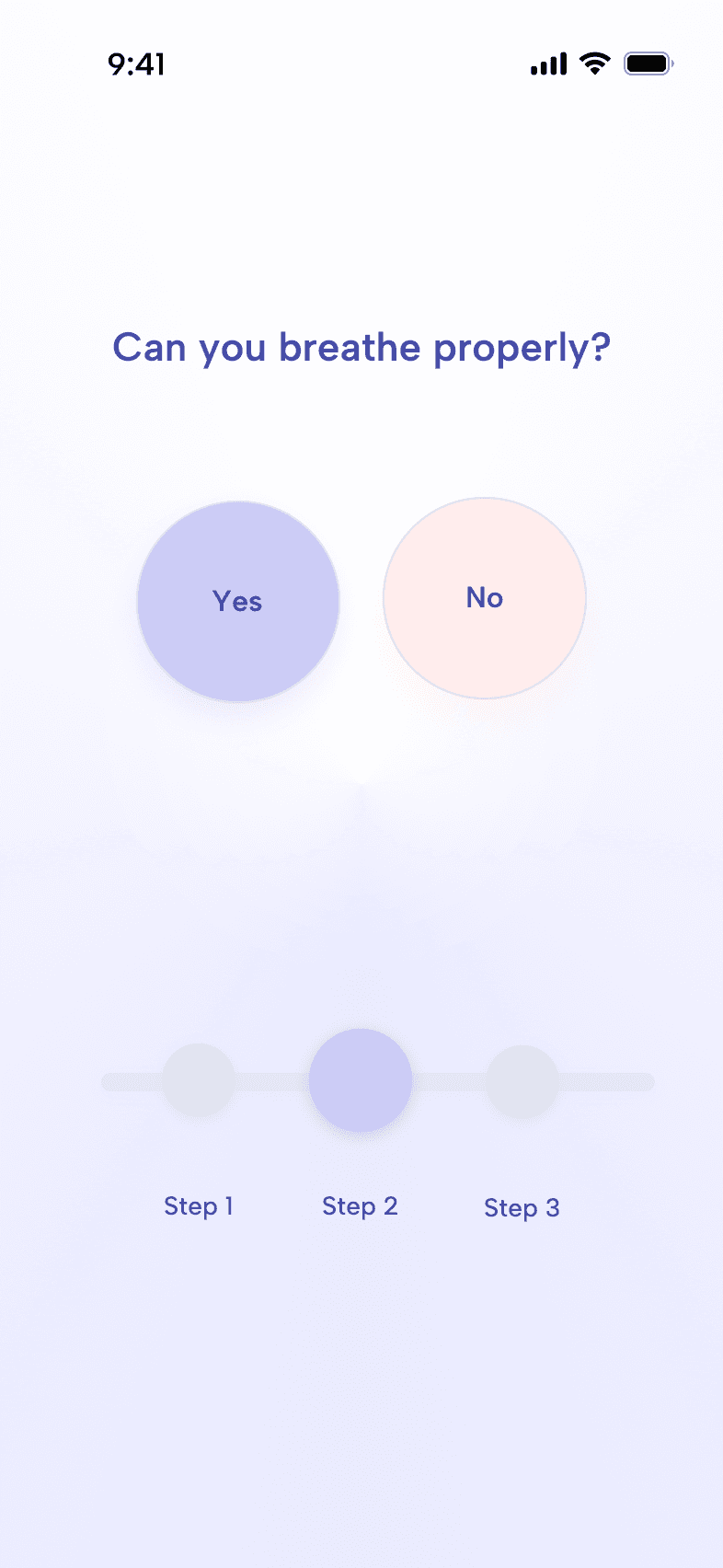
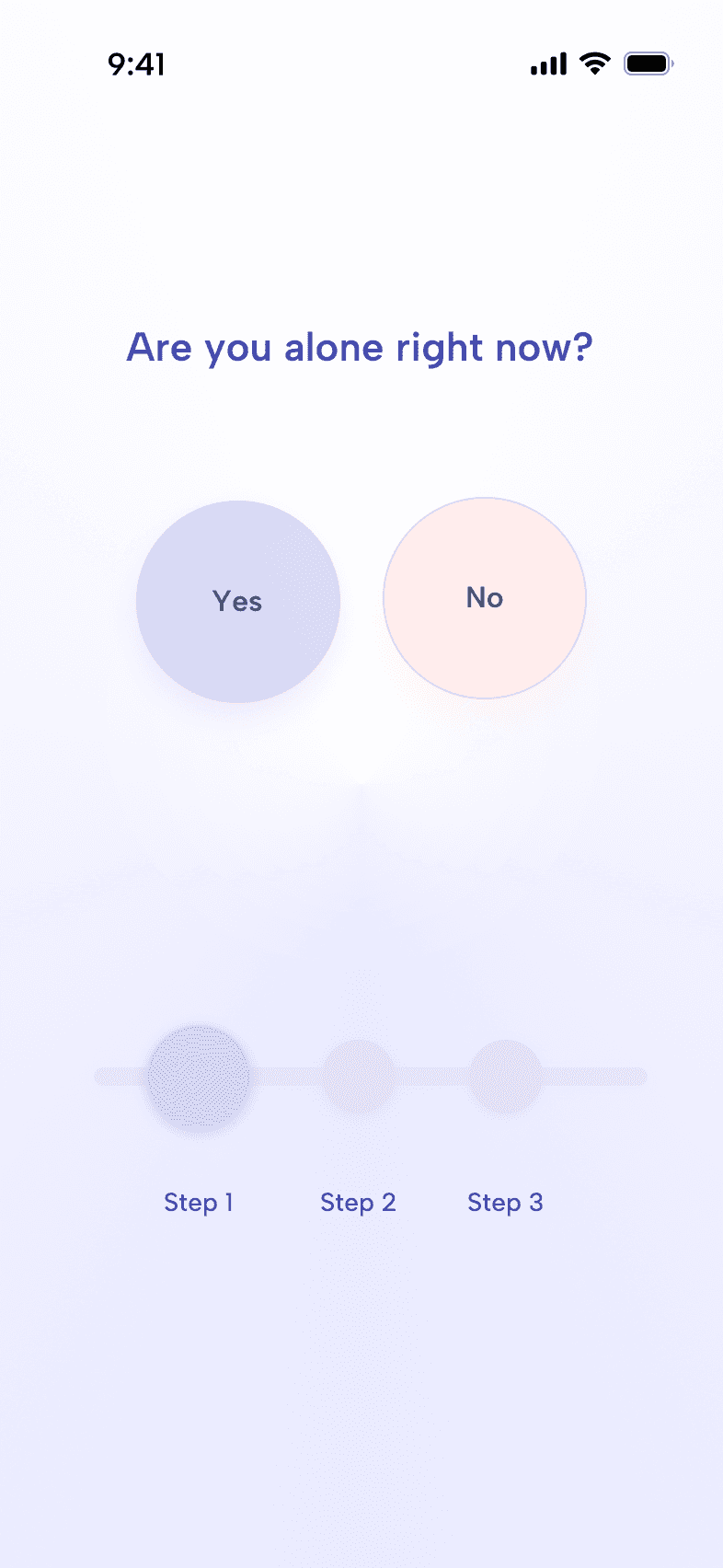
Replace text menus with emotion bubbles
Reason:
Users in panic states struggle with reading and categorization.
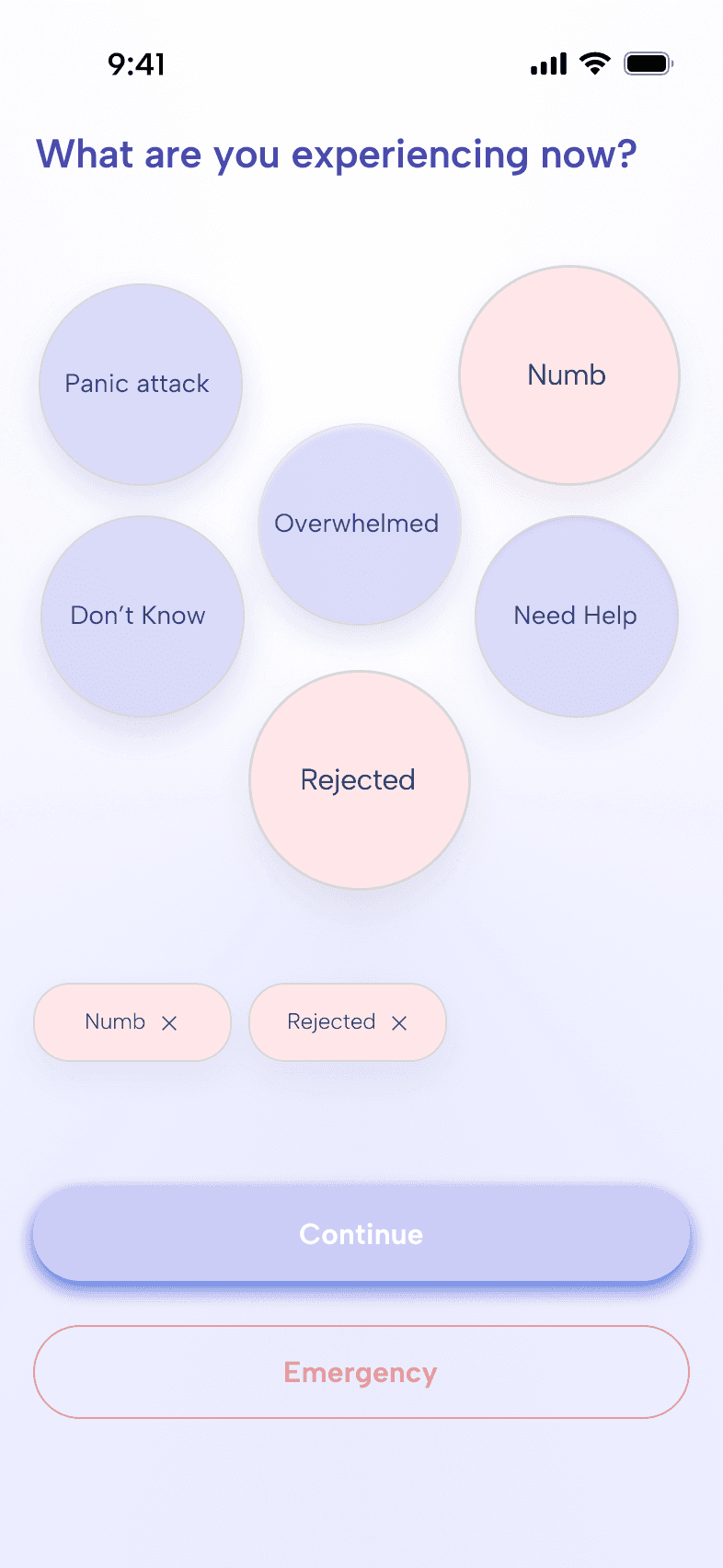
Emotion identification → Selection → State confirmation
Key Decision 2: Breathing Interaction
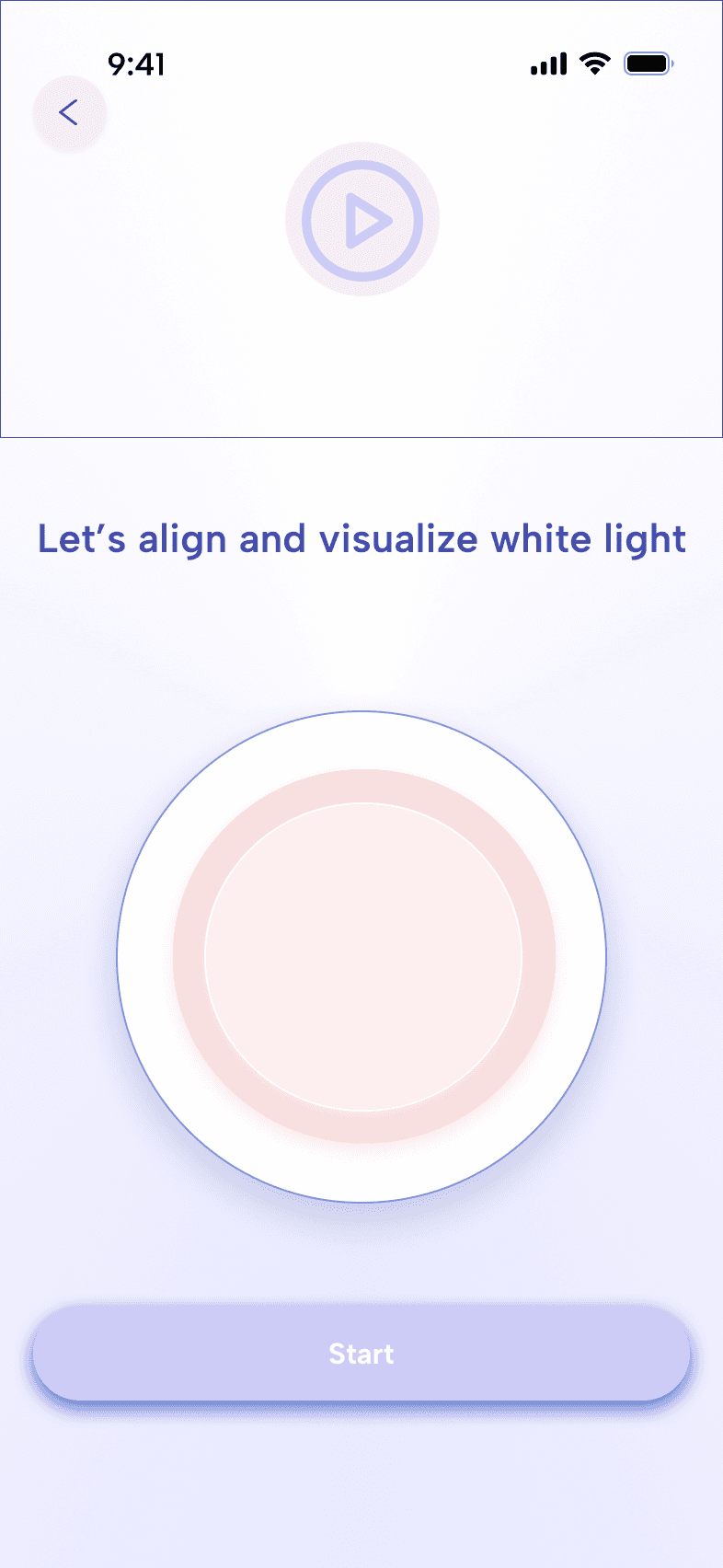
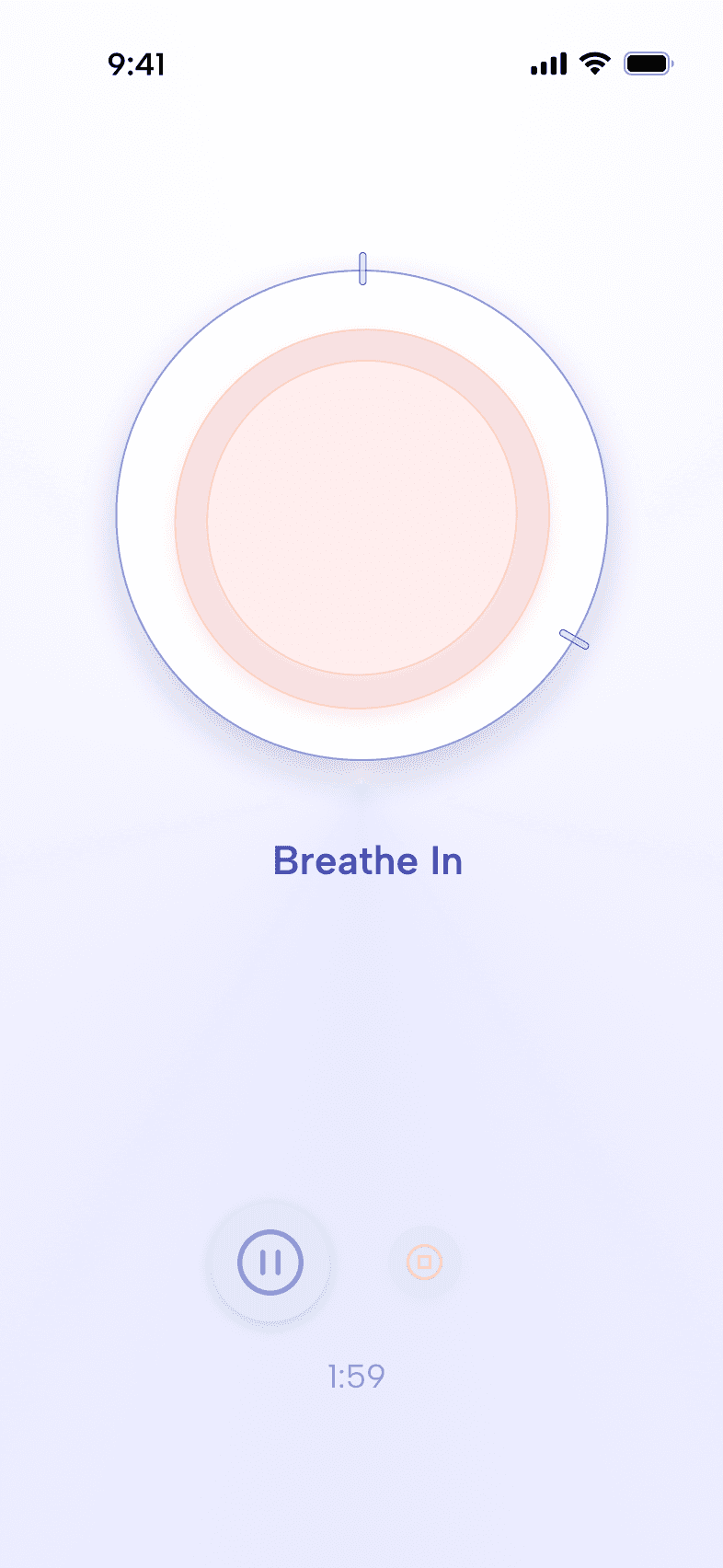
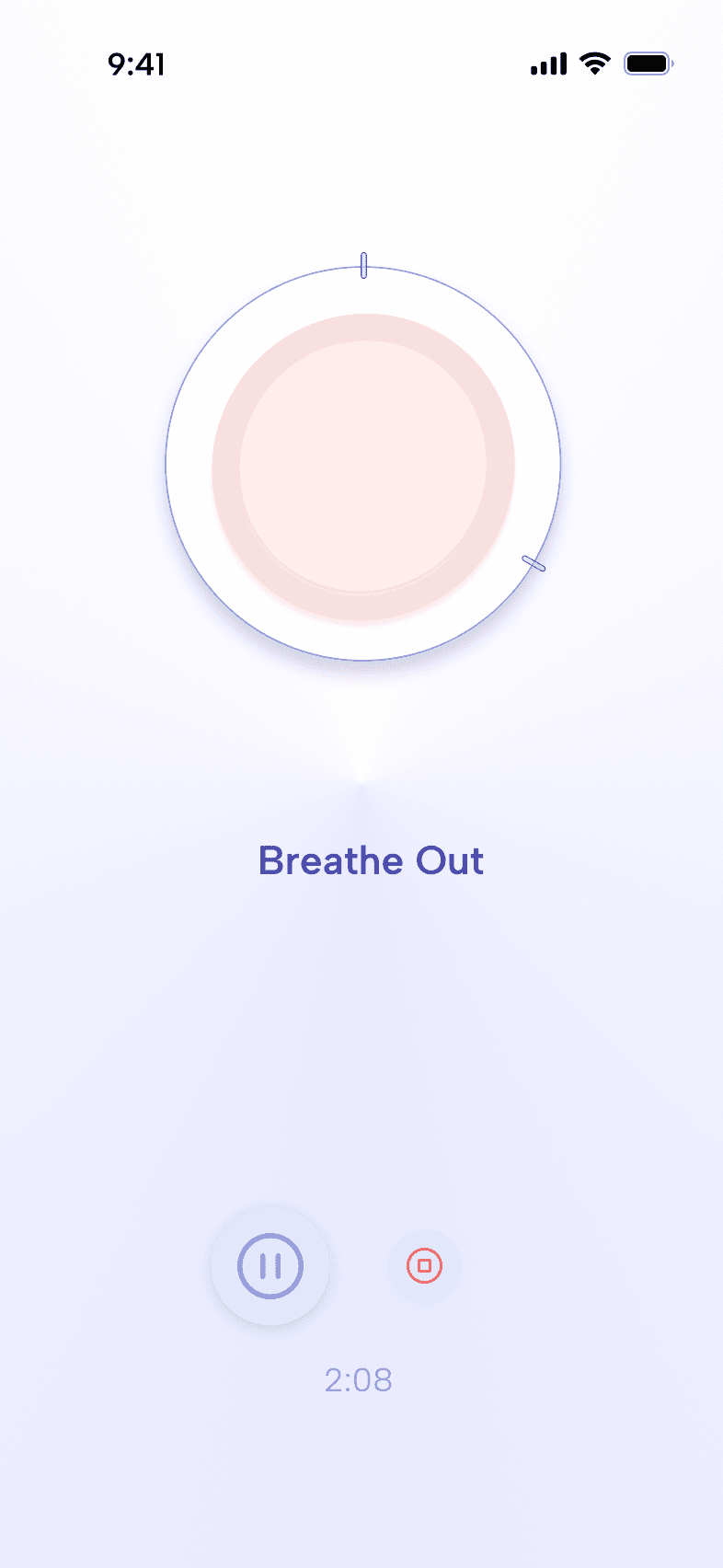
The breathing ring acts as a single visual anchor when perception collapses.
In high-stress states, users can only focus on one visual element.
The breathing ring became the entire stage — a slow expansion and contraction rhythm acting as the primary grounding cue.
Visualize→ Breathe In → Breathe Out
Motion and softness tuned to reduce stress, not stimulate attention.
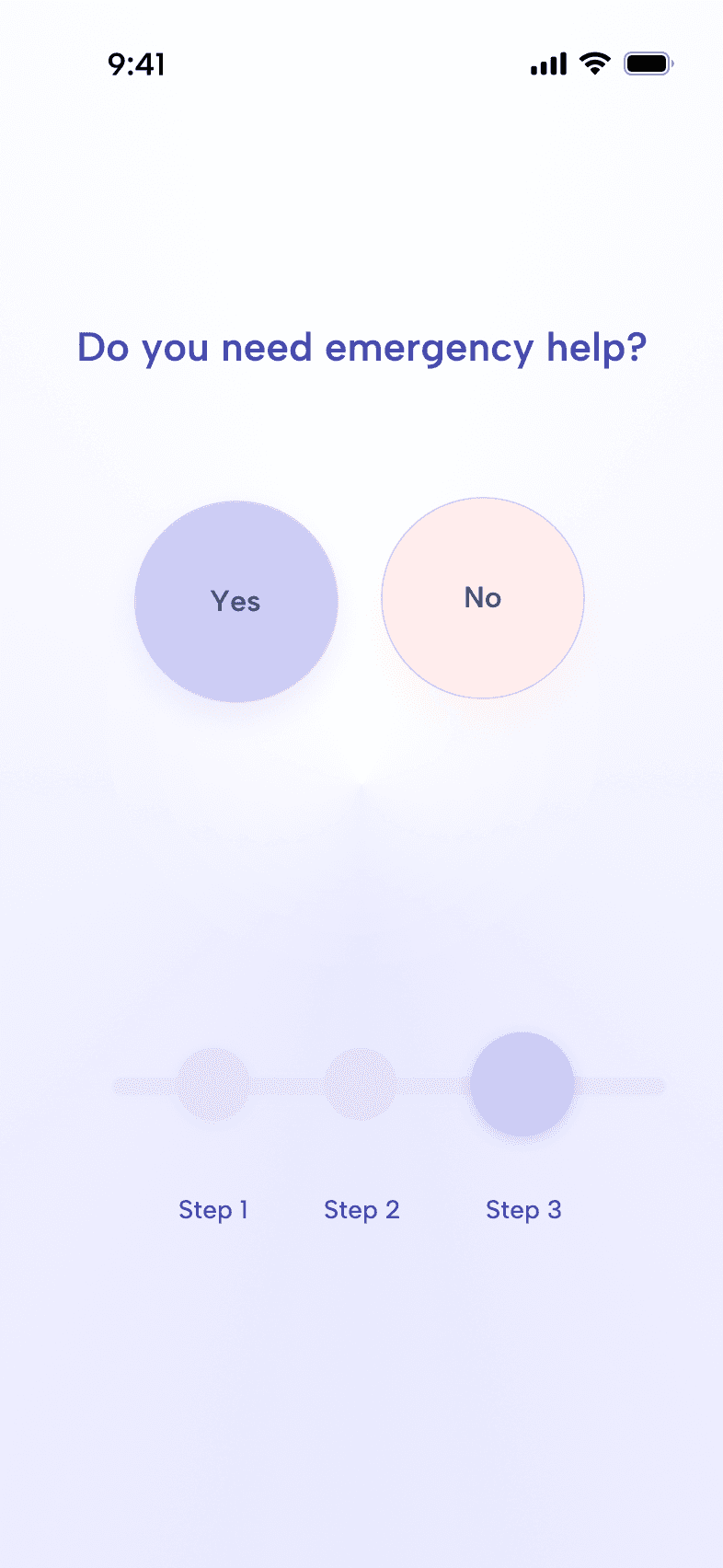
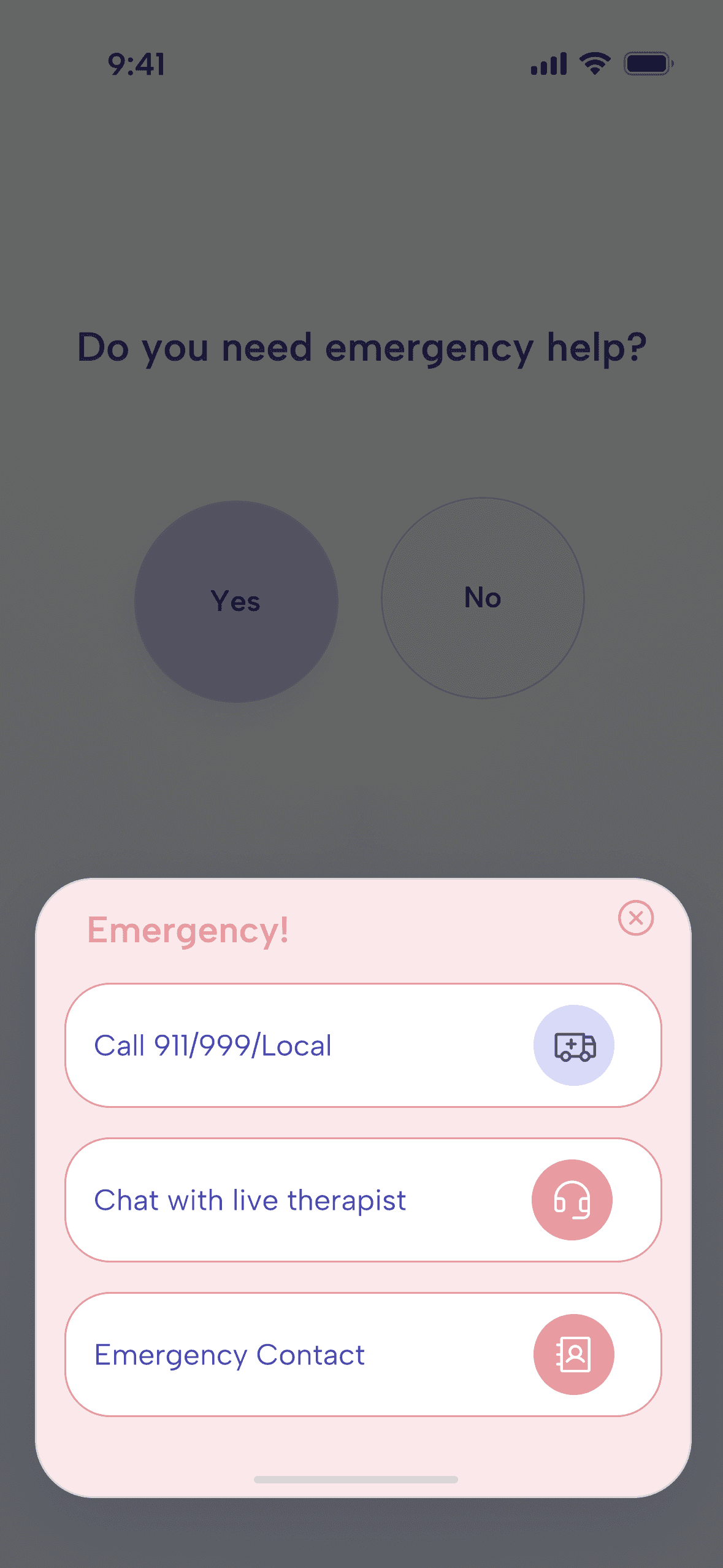
Key Decision 3: Emergency Access
Crisis escalation is always visible, never hidden in menus.
Emergency support needed to be instantly reachable but not alarming.
A compact modal with medical, suicide prevention, and safety options ensures fast access without overwhelming the primary calming flow.
Visual Language
Visual language designed for emotional safety.
Soft glows to create grounding presence
Muted pastels to decrease sensory overload
This creates a calming, non-judgmental interaction environment.
End of Session UX
A gentle re-entry with clear choices.
Users exit sessions in different emotional states. The closing modal offers three paths:
Continue
Try something else
End session
This removes ambiguity and supports autonomy, a key need during panic recovery.
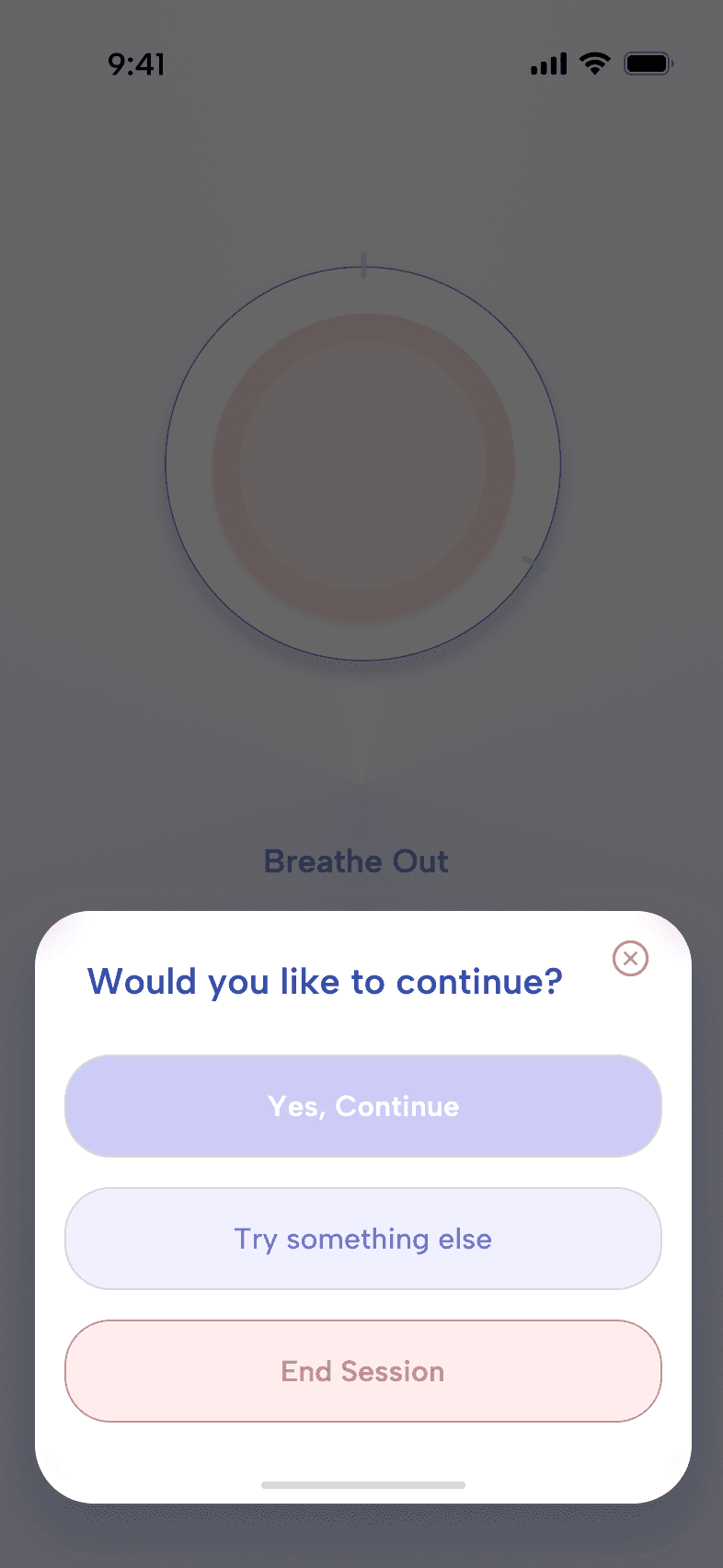
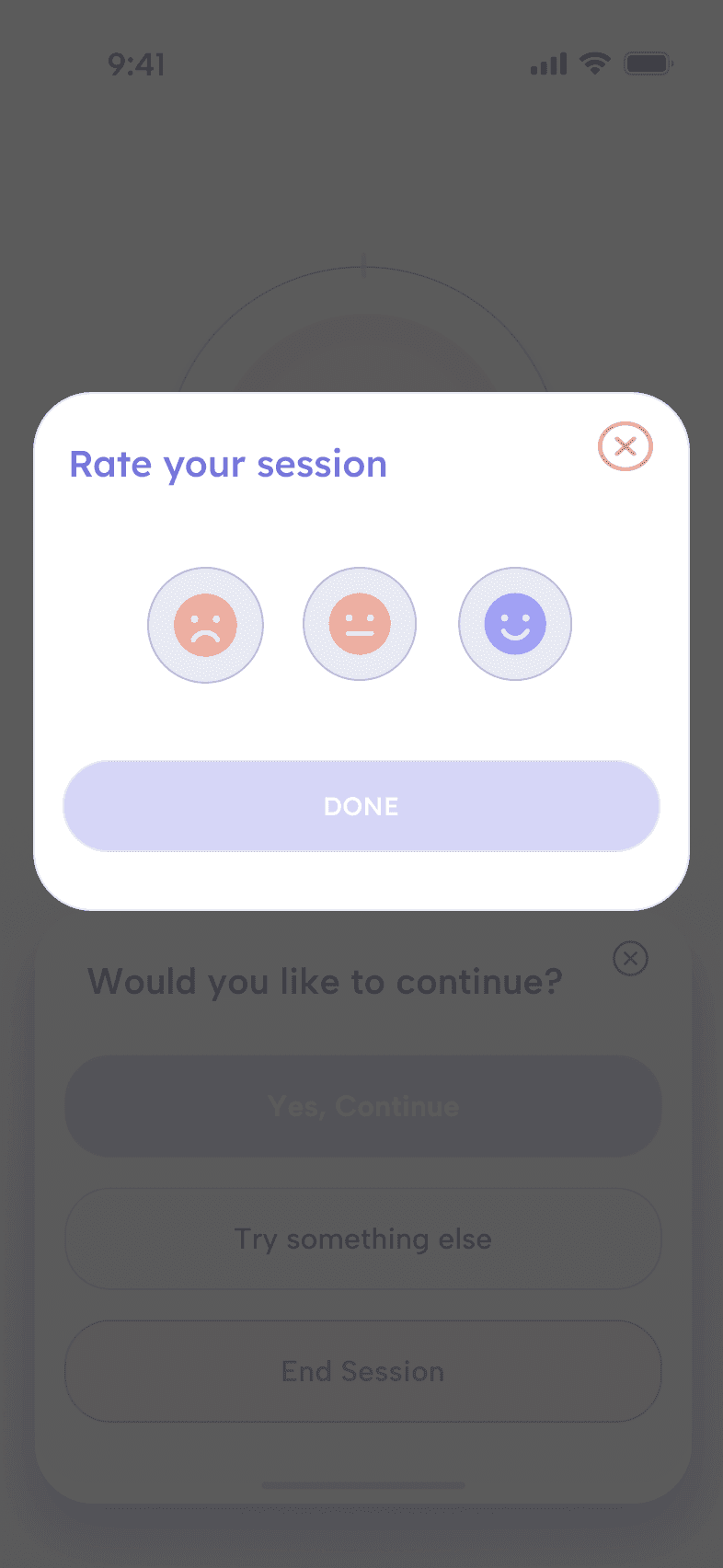
End of session UX- closing modal and user session rating